AI agents that write code changes against your real repository
AI CodeOps agents turn a plan into a real git diff against your repository, written in a throwaway clone that is never executed, then tested and reviewed.
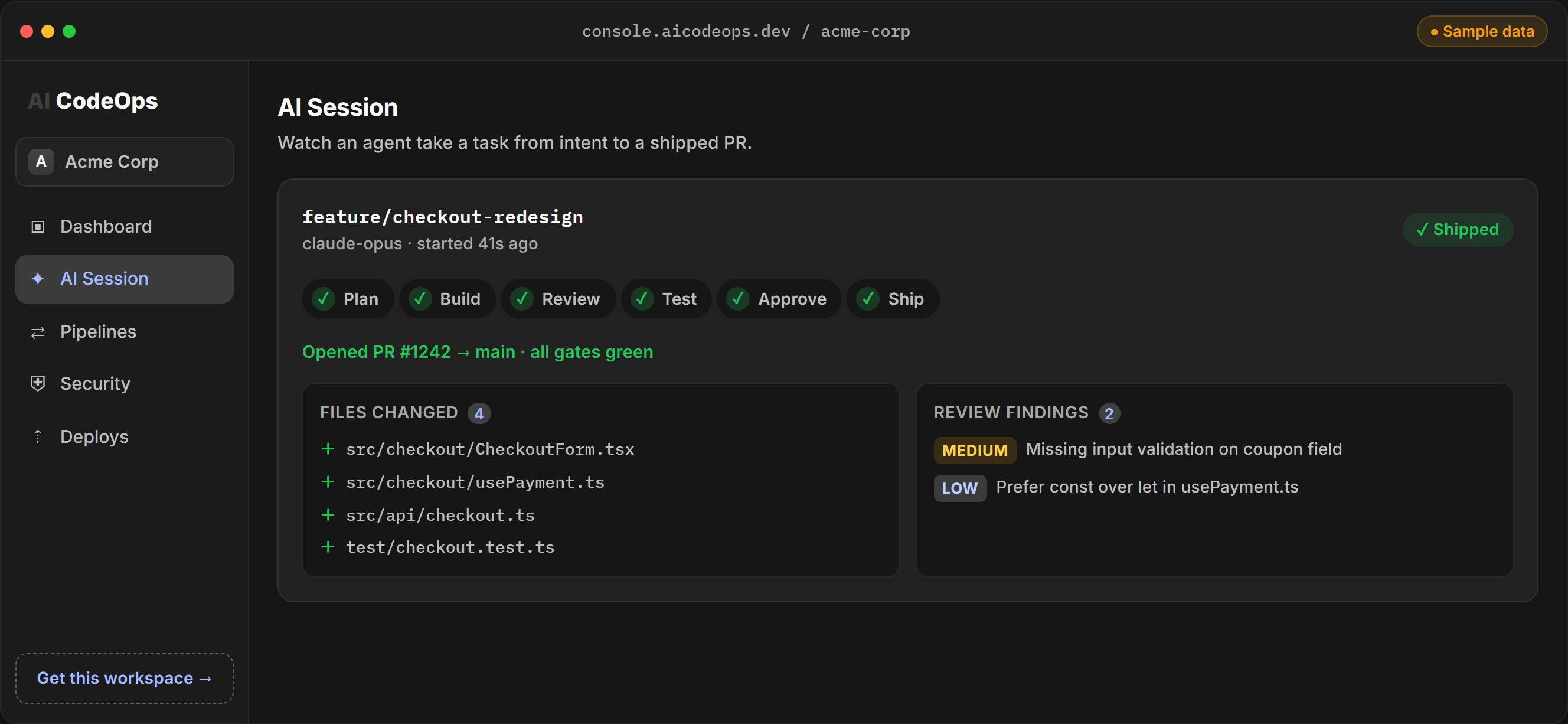
In AI CodeOps, the build stage turns the session's plan into a real code change: the new content of every file it touches, written into a throwaway clone of your repository and captured as a git diff. That diff is what the tests run against, what the reviewers read, and what lands as a pull request once it is approved.
The build happens on the platform, in your browser session. There is nothing to install. The clone is made with the git connection of the person who started the session, and it is deleted when the diff has been taken. Repository code is never executed on the platform's servers during this step. Running code is the job of the test stage, which uses an isolated sandbox.
Which agents run
Implementation agents describe the change per file, with the key code and the reasons:
- Builder: the general implementer. It runs in Plan, Build, Review & Test, Security-Sensitive Change, UI Implementation, Incident Response, Performance Tuning and Quality-Gated Change.
- Backend Engineer and Frontend Engineer: server-side and client-side work in Feature SDLC.
- Database Engineer and Migration Specialist: schema design and migrations in Data Migration, and upgrades in Dependency Refresh.
- DevOps Engineer: the Apply step of DevOps Change.
These steps return text. After the last step, the session runs a separate code pass. It reads the task, the repository context and everything the team wrote, and returns the complete new content of each file it changes. The platform writes those files into the clone and takes the diff. So the diff, not the Builder's description, is what you review.
With the Auto model tier, the code pass goes to a mid-grade coding model (Standard) first, while planning and review steps use the best tier you have allowance for. See models.
Interactive demo, sample data.
What a change looks like
The code pass must answer with a JSON array of whole files. This is the format the platform asks the model for and parses:
[
  {
    "path": "src/checkout/CouponField.tsx",
    "content": "import { useState } from \"react\"\n\nexport function CouponField() {\n  ...complete file...\n}\n"
  },
  {
    "path": "test/checkout/coupon-field.test.ts",
    "content": "import { describe, expect, test } from \"vitest\"\n...complete file...\n"
  }
]
Each item is a relative path and the full file after the change, not a fragment. The platform writes the files and lets git work out the diff, so a modified file shows as a normal patch and a new file as an addition.
Projects without a repository work too. A task such as "build a small URL shortener in Python" is written into a scratch git repository instead, and the session still produces a downloadable diff. The Source page can browse that code, rebuilt from the diff.
Working with the change
- Changes lists every proposed change, its status and what it cost to produce.
- A session's page shows the diff, the changed files and the step-by-step transcript.
- You can edit the AI's files in the console before approval. Each edit is written to the audit log, and an approval already given goes back to pending, because the code is no longer what was approved.
- A follow-up session builds on a parent change that has not merged yet. The parent's diff is applied first and shown to the model, so "now fix the bug in what you wrote" works on the code that was written.
- A Fix button on a finding starts a new run aimed at that one problem.
- A Terminal gives you a shell in an isolated sandbox for a project, for the checks you want to run yourself.
Quality gates involved
The build stage has its own checks before any human sees the change:
- The code pass must produce usable files. If the model call fails, is cut off, or returns nothing that parses as file changes, the session ends as failed with that reason. It never reads as completed with no code.
- Size limit. A diff over about 60 KB is refused whole, with a message to split the task. It is never cut to a fragment that would be reviewed in part.
- Budget. The workspace hard spend limit is checked before the code pass, like every other model call.
- Policy on files. When the change is about to become a pull request, every file it changes is checked against your
diff.applyrules, and the repository againstgithub.push. A rule can allow, ask for an approval, or deny, for example for anything underinfra/**. See approvals and policies.
After the build, the change goes to the project's tests, then a review of the actual diff, then a person. All of it is summed up on the quality gates page.
Limits
The code pass reads a fixed amount of the team's output, so in long workflows the latest steps can be cut from what it sees. Its answer has a fixed size, so very large changes fail rather than land. It handles at most 25 files in one change. Keep tasks small, and use follow-up sessions to build in steps.
Frequently asked questions
Does the AI push straight to my main branch?
No. The change stays a proposed diff inside AI CodeOps until it passes the quality gate and a person approves it. Then AI CodeOps opens a pull request on a new branch.
Which Git hosts can it open pull requests on?
GitHub, GitLab (as a merge request), Bitbucket, Gitea and Forgejo, through the git connection of the person who started the session. The change goes on a new branch named codeops/run- followed by the session ID.
Can I edit the code the AI wrote before it ships?
Yes. You can edit, add or delete files in a session's change from the console. Each edit is recorded in the audit log, and any approval of the change goes back to pending.
What happens with a very large change?
A change whose diff is over about 60 KB is refused whole and the session ends with that reason. Split the task into smaller sessions instead.
Can a second session build on the first one's code?
Yes. A follow-up session applies its parent's unmerged change first, so its diff contains the parent's change plus its own.